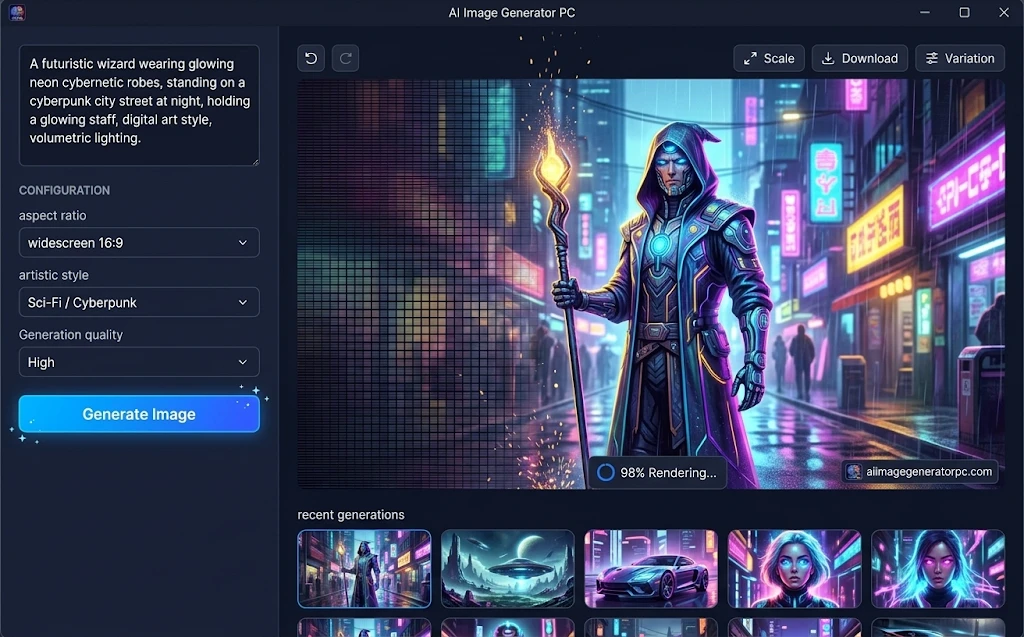
AI Image Generator Download Free for Windows
AI Image Generator  ·  Windows desktop app

Create AI images and short videos on your Windows PC

A free desktop app that turns a text prompt into pictures and short clips using OpenAI or Stability AI image models. It runs with your own API key, so you keep full control of what you spend.

Download Free for Windows
Windows 10 / 1164-bitFree  ·  Needs internet
Windows 10 / 1164-bit desktop app Not yet rated
What you get

Text in, pictures and clips out

Three things the app does well, and the details underneath.

Generate 1024×1024 images

Type a prompt, pick a style, and get a photorealistic or illustrated image from OpenAI or Stability AI SDXL.

Turn a prompt into a short clip

SDXL renders the first frame and Stable Video Diffusion animates it into a short video you can save.

Your key, on your device

The app uses your own OpenAI or Stability AI key and stores it locally. Prompts go to the provider you chose, never to us.

How it works

Two steps, then you're generating

1

Install and paste your key

Run the installer, then paste an OpenAI or Stability AI key on first launch. Getting a key is free; the provider bills you only for what you generate.

2

Describe what you want

"Astronaut on Mars at sunset, cinematic." Pick a style, press Generate, and save the result to your PC.

Requires: Windows 10 or 1164-bitInternet connectionOpenAI or Stability AI account
Before you download

Questions people ask

Is it really free?
The app is free to download, and there's no account with us. Image and video generation runs on OpenAI or Stability AI using your own key, and those providers charge for usage at their own rates. Getting a key is free; you only pay when you generate.
Is the download safe?
The installer is published by the company listed in the footer. When Windows shows the file details, the publisher name should match. If it doesn't, don't run it and contact us.
Why does Windows show a warning when I open it?
Windows SmartScreen can show a notice for new apps it hasn't seen many times yet. The notice shows the app's verified publisher, so you can check who published it before you decide whether to run it.
Does it work offline? Do I need an account?
No account with us. The app does need an internet connection because images and videos are generated by OpenAI or Stability AI servers — you need an API key from one of them. There is no offline mode.
What exactly gets installed?
One application plus a Start-menu entry. No browser extensions, no toolbars, no additional software. Your generated images are saved to a folder you choose and stay there after uninstall.
How do I uninstall it?
Settings → Apps → Installed apps → AI Image Generator → Uninstall. Step-by-step guide.

Start generating on your PC

Free download · Your key stays on your device

Download Free for Windows
Windows 10 / 1164-bitFree  ·  Needs internet